1. Post a gig
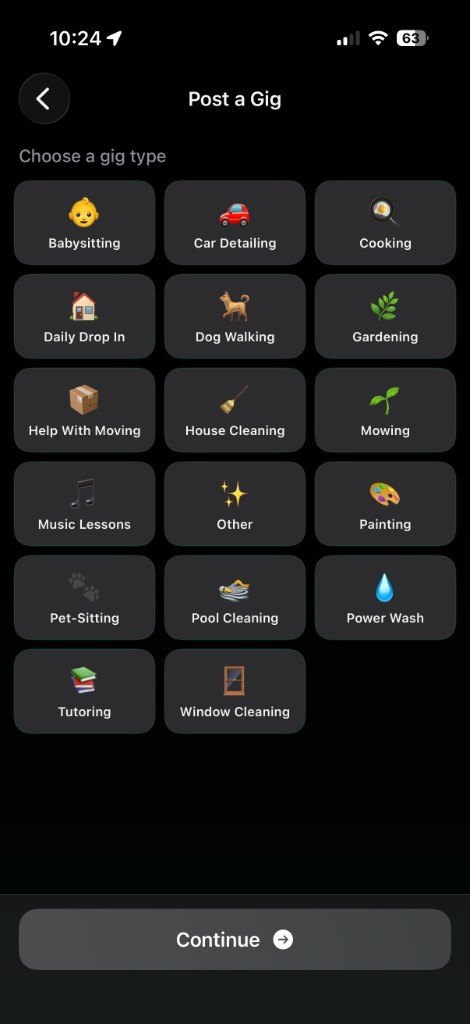
Start with Post a Gig and choose a type, such as mowing, pet-sitting, tutoring, or house cleaning. You can browse the map without an account. Posting a job is one of the things that requires you to sign in.
 TeenJobz
Download
TeenJobz
Download
I need a helping hand
You describe the work in the iPhone app. Teens nearby can send a bid. You talk in the app, then rate the person after the job is done.
Download on the App StoreTeenJobz is on the App Store for iPhone. It is not available for Android yet.
Start with Post a Gig and choose a type, such as mowing, pet-sitting, tutoring, or house cleaning. You can browse the map without an account. Posting a job is one of the things that requires you to sign in.
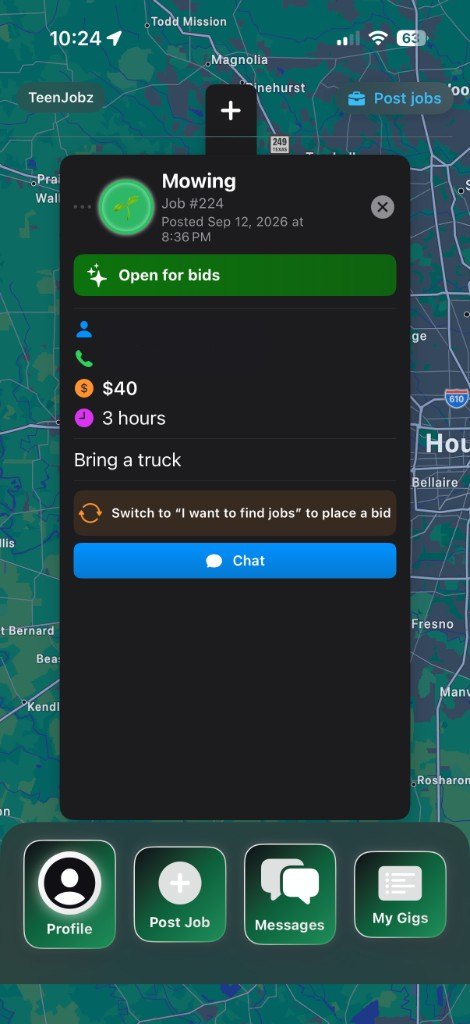
A post can show the job type, a price, how long you expect it to take, a short note, and contact details you choose to include. This example is a mowing job for $40 and 3 hours, with the note “Bring a truck.” It is marked open for bids. The poster’s name and phone number are hidden on this page.
Interested teens send a bid price and an optional note. You can open Messages for that job and agree on the details there. TeenJobz does not take payment inside the app. The price is what you post and what they bid.
After the work, you can rate the person as a worker. If you also do jobs for other people, your profile keeps those ratings separately, as a job poster.