1. Discover jobs on the map
Jobs show up as pins. You can browse what is posted around you without signing in. Creating an account is what lets you bid, message, and keep a profile. The map uses your location only if you allow it on your phone.
 TeenJobz
Download
TeenJobz
Download
I want to earn money
TeenJobz is the iPhone app where you see local jobs, offer a price, and keep a record of work you finish. The privacy policy says the app is not intended for children under 13.
Download on the App StoreTeenJobz is on the App Store for iPhone. It is not available for Android yet.
Jobs show up as pins. You can browse what is posted around you without signing in. Creating an account is what lets you bid, message, and keep a profile. The map uses your location only if you allow it on your phone.
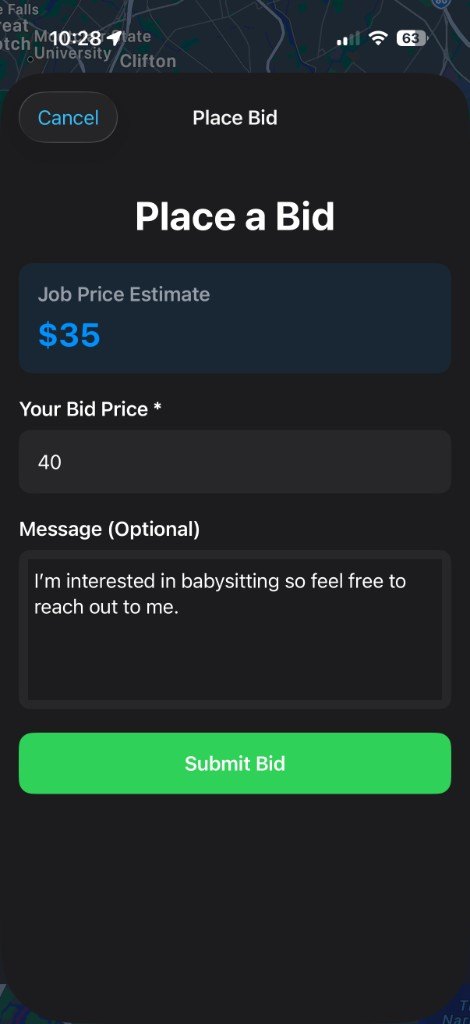
Open a job and choose Place a Bid. You enter your price and, if you want, a short message. The person who posted the job sees that offer in the app.
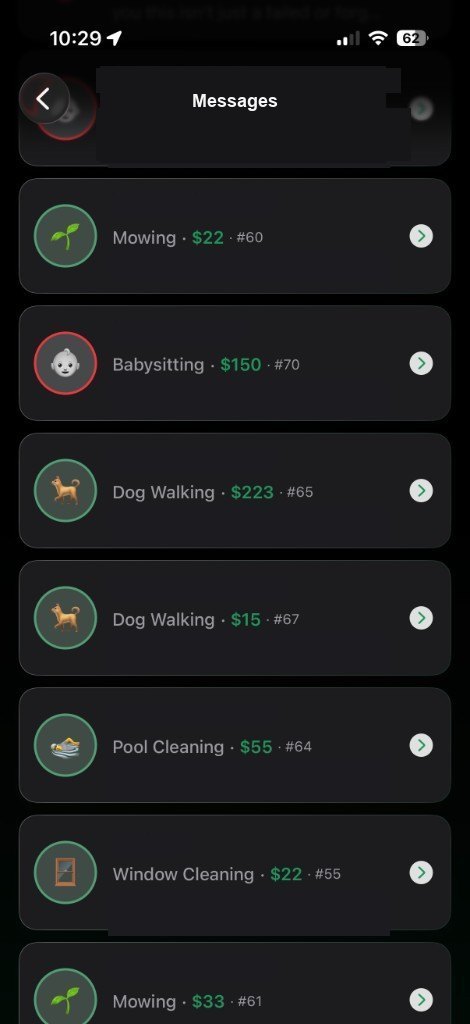
When you and the neighbor are ready to talk about a job, the conversation stays in Messages, attached to that job. Names and message text are hidden in the picture below.
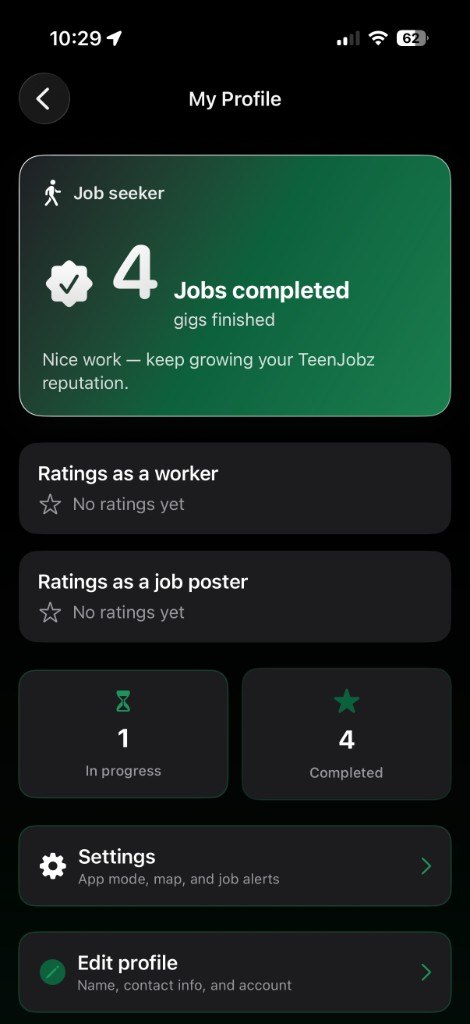
Your profile tracks jobs you have completed. People can rate you as a worker. If you also post jobs, those ratings are kept separate, as a job poster.
The privacy policy says TeenJobz is not intended for children under 13. Jobs are shown on a map so you can see what is posted near you. Pay is the price on the job and the bid you send. TeenJobz does not take payment inside the app.